For coding agents
Let the agent run wild. In a room it can't leave.
Coding agents run rm, curl | bash, and
pip install on your behalf. Handy, until one confidently wrong
step does it against your real home directory, your real SSH keys, your real
everything.
Point the agent at a miniVE box instead: open a shell and run its CLI
inside the environment. It can install, build, and thrash
/workspace all it wants. When it's done, delete the box and
everything it touched goes with it.
The cloud sandboxes that solve this are metered, account-gated, and your code leaves your machine. miniVE is the local, free version - on your own hardware, offline, nothing to sign up for.
Reachable
- /workspace and files you put there
- packages it installs in the box
- the network, if you allow it
Off-limits
- your home directory
- SSH keys and .env secrets
- the rest of your disk
.env - not a determined kernel escape by genuinely hostile code.
For your own agents on your own code, container-grade is the right trade; to detonate
actual malware, reach for gVisor or Firecracker.
The mess you skip
Your machine remembers every experiment. It shouldn't have to.
Trying one repo shouldn't cost you a second Python install, a PATH edit, and a global package you'll find in six months. Everything below stays off your machine when the environment does the installing instead.
How it works
Three steps in. One click out.
Each environment is exactly one Docker container plus one volume, labeled and inspectable. No hidden state, no magic.
Create
Name it, pick a base - Ubuntu, Debian, Alpine, or Fedora - and tick the languages you need: Python, Node, Go, Rust, Java, Ruby, PHP, in the versions you want, together in one environment. Map a port if your app serves one.
Work
Drop files in or clone a repo by URL. Open terminal tabs that land in /workspace. Install anything: it persists inside the environment and only there.
Delete
One click removes the container and its volume. docker ps -a shows nothing. Your machine is exactly as it was before.
/workspace, and a
minive.env label so you can audit everything yourself with
plain docker commands.
A real app, not a config file
Point, click, and watch it run.
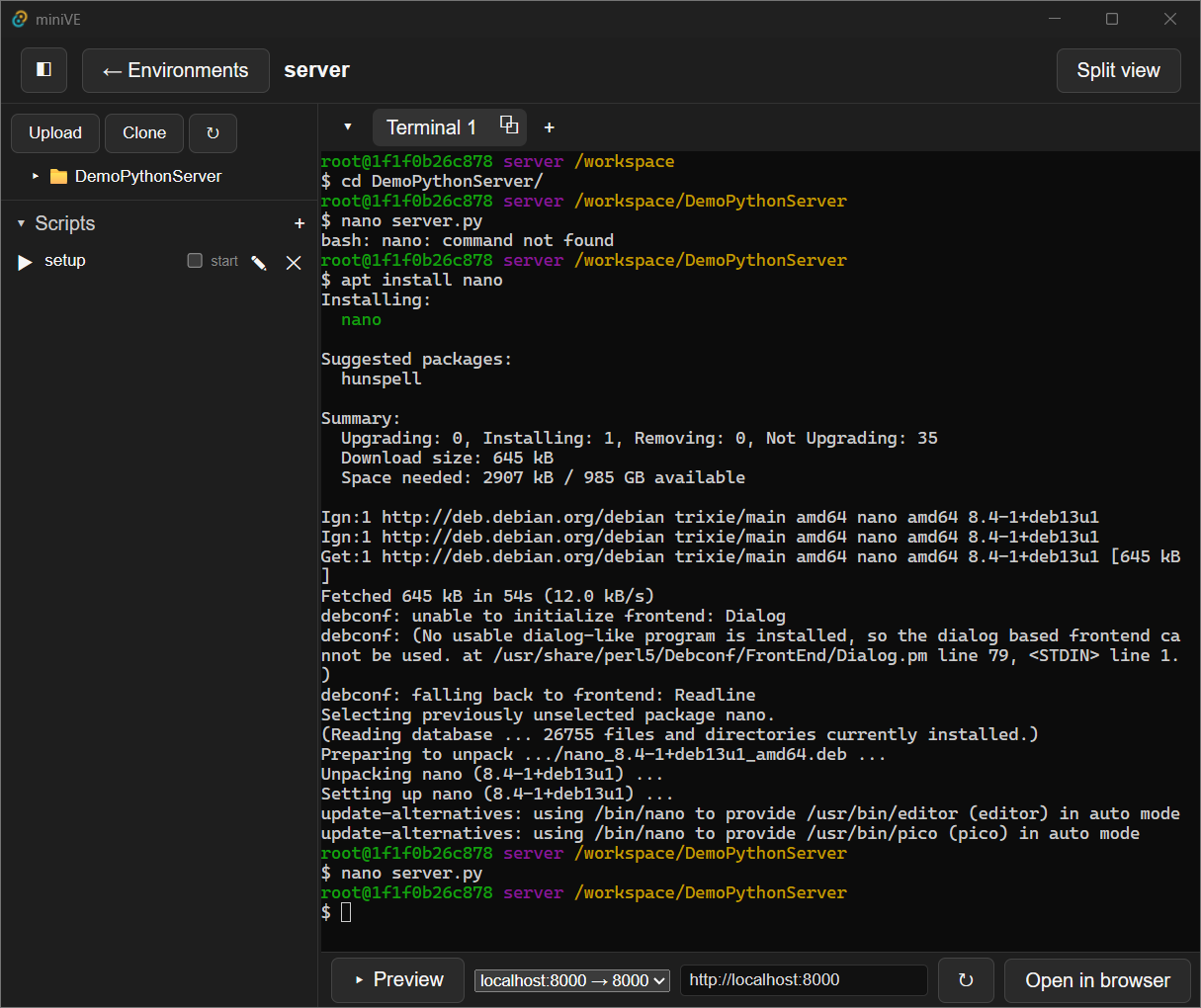
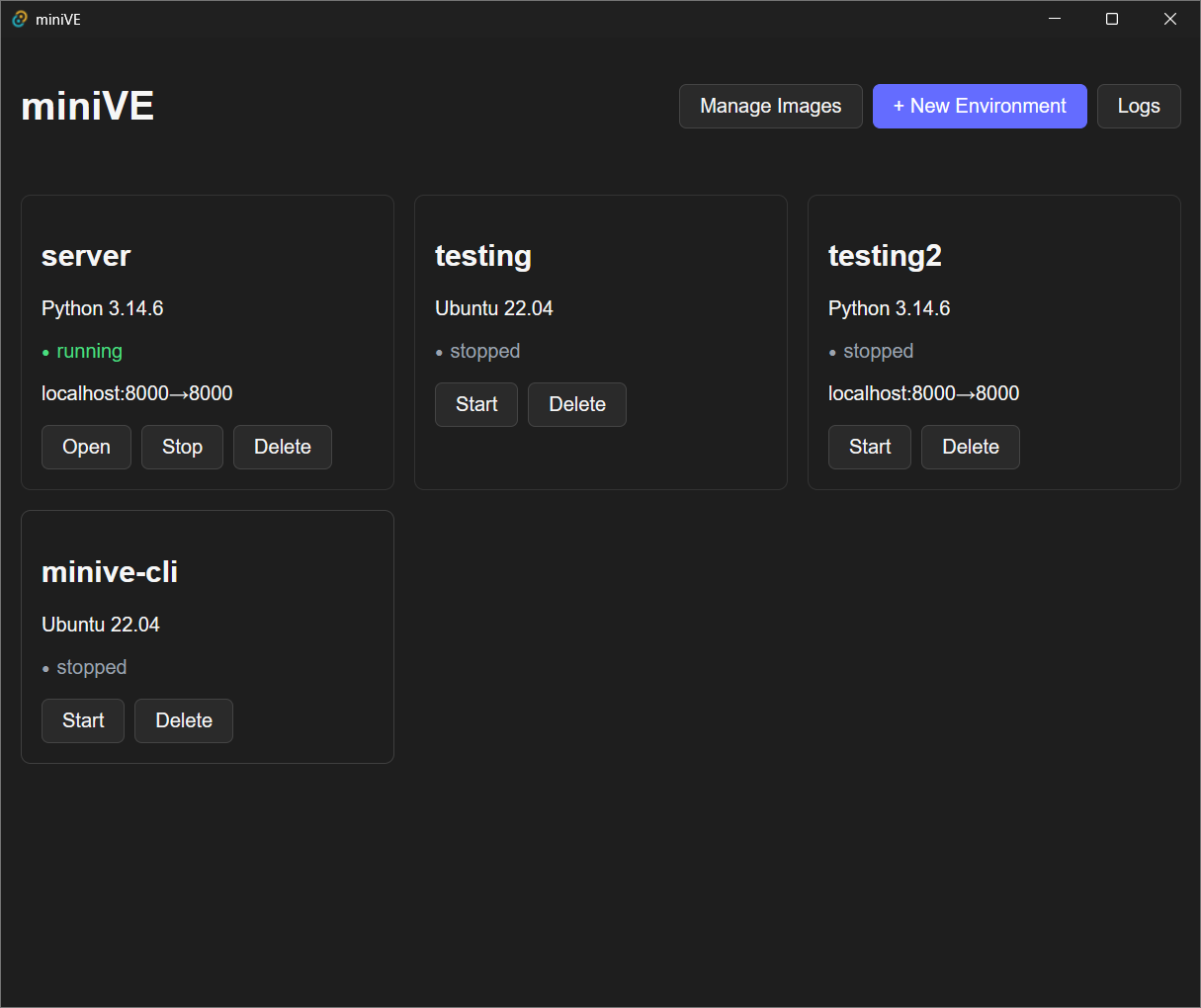
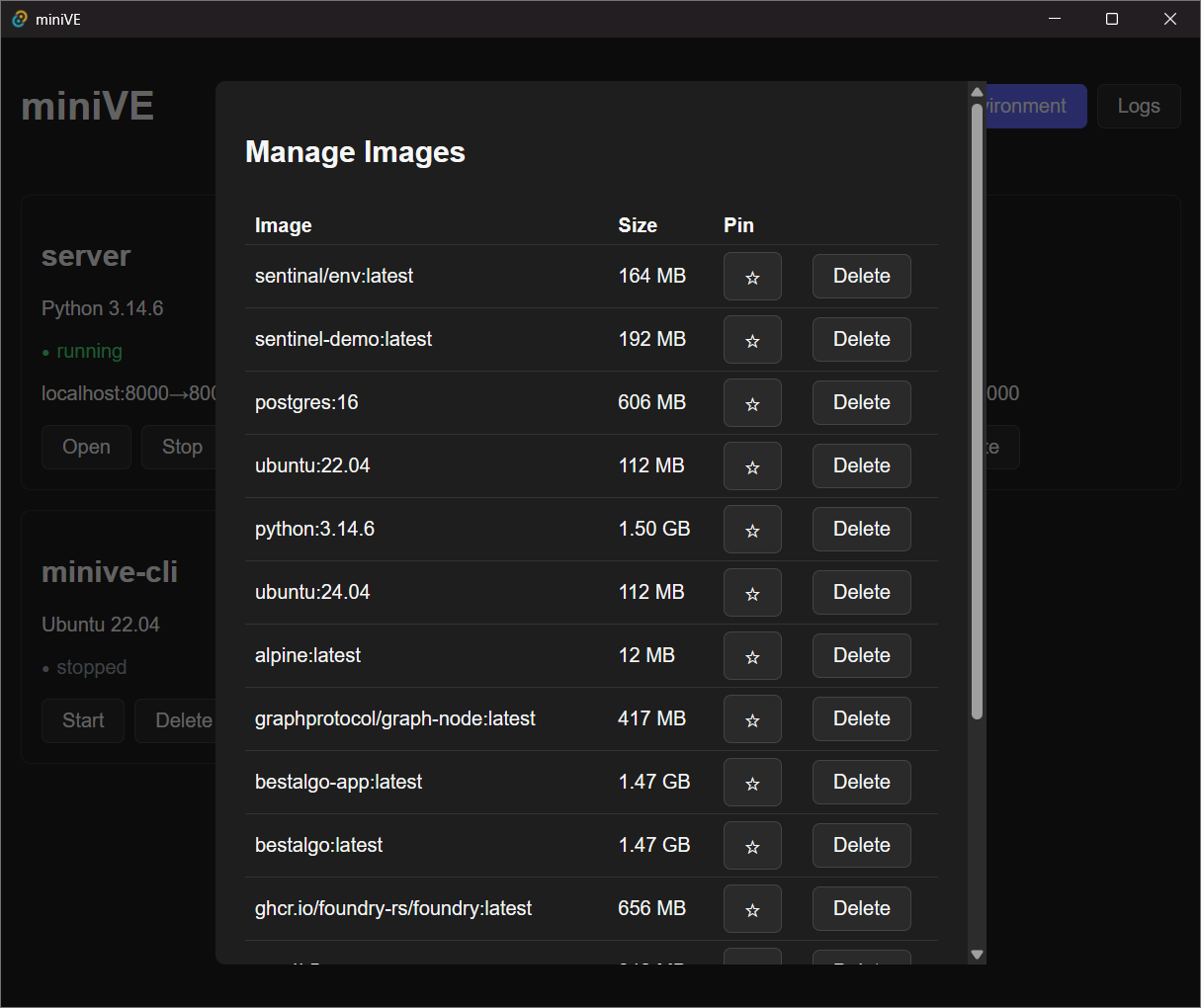
Every environment is a desktop window: a live terminal, a built-in port preview,
and one-click delete. No .devcontainer, no YAML, no cloud dashboard.
Features
Small tool. Sharp edges where it counts.
Language picker
Any mix of Python, Node, Go, Rust, Java, Ruby, and PHP on the distro of your choice - multi-language projects in one environment, without conflicts.
Terminals your way
Tabs, a resizable split view, or popped out into separate windows - same live session either way. Full shell, arrow keys, colors: the real thing.
Git clone built in
Paste a repo URL and it clones inside the environment. No git needed on your host.
Port preview
Run a dev server inside, see it rendered in the app or open it in your browser at localhost.
Environments persist
Stop and restart whenever. Your installs and files are still there until you decide otherwise.
Truly gone on delete
Container and volume removed together. Verify it yourself: nothing left behind, ever.
CLI included
The minive command drives the same environments from any terminal: create, shell, exec, delete. Open as many shells into one environment as you need.
Fair questions
Before you commit a click
Can I run an AI coding agent inside it?
Yes - that's a main use case. Open a shell in an environment and run your agent's CLI inside it, or clone a repo in and let the agent work. It can install and run whatever it wants in /workspace; your host filesystem, keys, and credentials aren't mounted, so they aren't reachable. Note this is container isolation, not a microVM: it stops the realistic damage, not a determined kernel escape by genuinely hostile code.
How is this different from a cloud sandbox like E2B or Modal?
Those are cloud, metered, and your code runs on their infrastructure. miniVE is local, free, and offline - the code never leaves your machine. The trade-off is container-grade isolation rather than per-workload microVMs, which is the right call for running your own agents against your own code.
Do I need Docker installed?
Yes. miniVE drives Docker Desktop rather than reinventing it: that's what makes the isolation real instead of pretend. If Docker isn't running, miniVE tells you plainly and links you to it.
Why not just use the Docker CLI myself?
You absolutely can: miniVE does nothing you couldn't script. What it gives you is the two-click version: a runtime picker, terminal tabs, drag-in files, port preview, and guaranteed cleanup, with zero flags to remember.
Is it really gone when I delete an environment?
Yes. Delete removes the container and its /workspace volume in one action. Run docker ps -a and docker volume ls afterward: no minive-* entries remain.
What does it cost?
Nothing. miniVE is MIT-licensed open source. No account, no telemetry, no upsell screen hiding behind a free tier.
Mac or Linux?
Yes - Windows (.msi), macOS (.dmg, Apple Silicon and Intel), and Linux (.AppImage / .deb / .rpm) builds all ship with every release, plus one-line installers for each. See the install guide for the one-time unsigned-app steps on Windows and macOS.
Open source · MIT
Your agents and experiments don't have to move in permanently.
Requires Docker Desktop · Windows · macOS · Linux